TVNado Device Setup Guide
TVNado IPTV on ONN 4K Pro —
TiviMate Setup Guide 2026
The ONN 4K Pro (Google TV) is one of the best budget streaming devices for TVNado IPTV in 2026 — and TiviMate is the #1 player for it. This guide shows you exactly how to connect TVNado to TiviMate on your ONN 4K Pro in under 5 minutes. Not familiar with TVNado yet? Read our complete guide first.
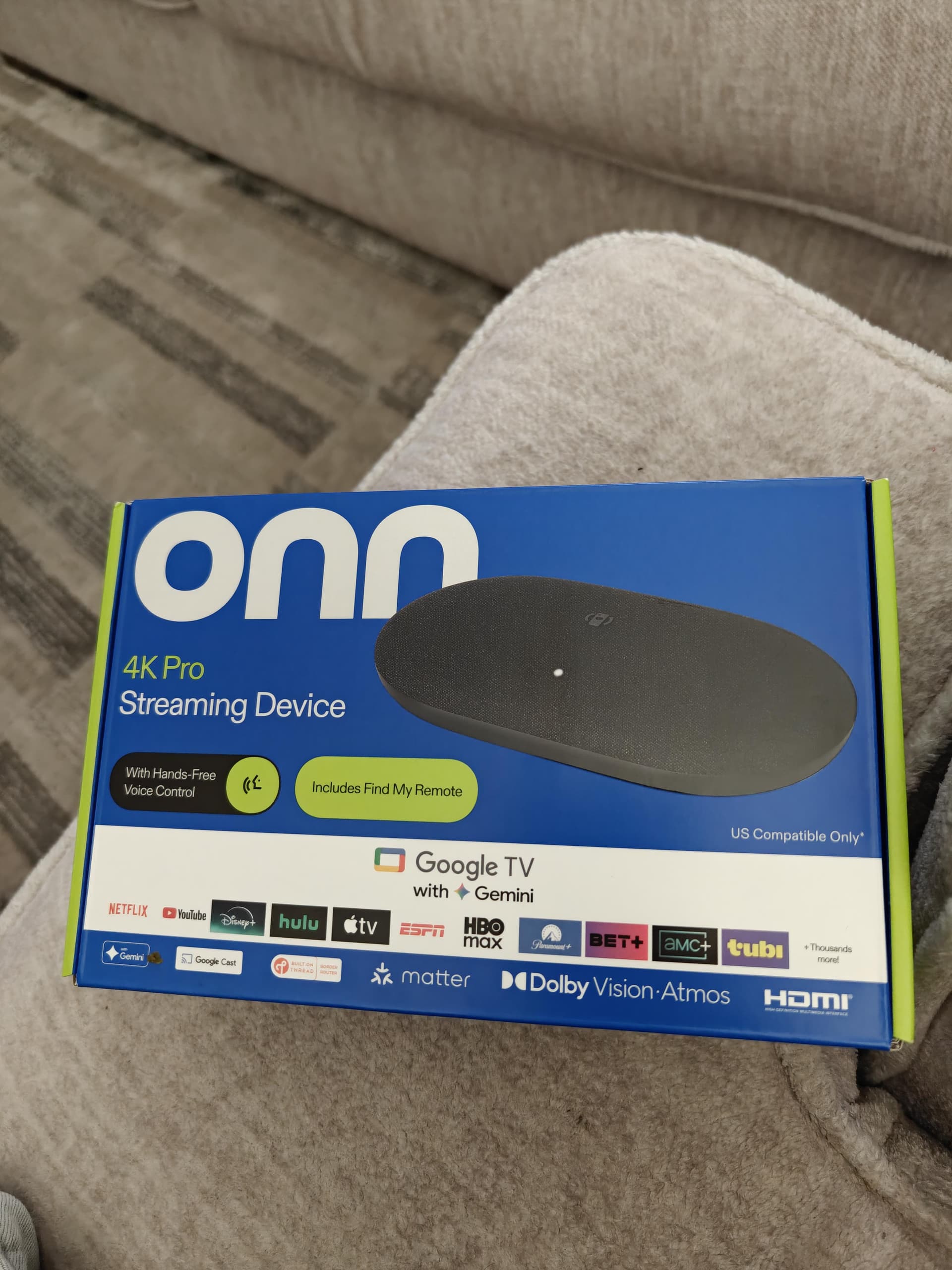
ONN 4K Pro — Best Device for TVNado IPTV
Walmart's ONN 4K Proruns Google TV with Gemini AI. It's the only budget streaming box at this price with a built-in Ethernet port — making it the ideal device for buffer-free TVNado IPTV streaming with TiviMate.
OS
Google TV with Gemini AI
Resolution
4K Ultra HD
HDR
Dolby Vision, HDR10, HDR10+
Audio
Dolby Atmos
Connectivity
Wi-Fi + Ethernet (LAN)
Ports
HDMI, USB-A, LAN, USB-C Power
Voice
Hands-Free Google Assistant + Gemini
Remote
Find My Remote feature
Smart Home
Matter support
Price
~$49.99 at Walmart
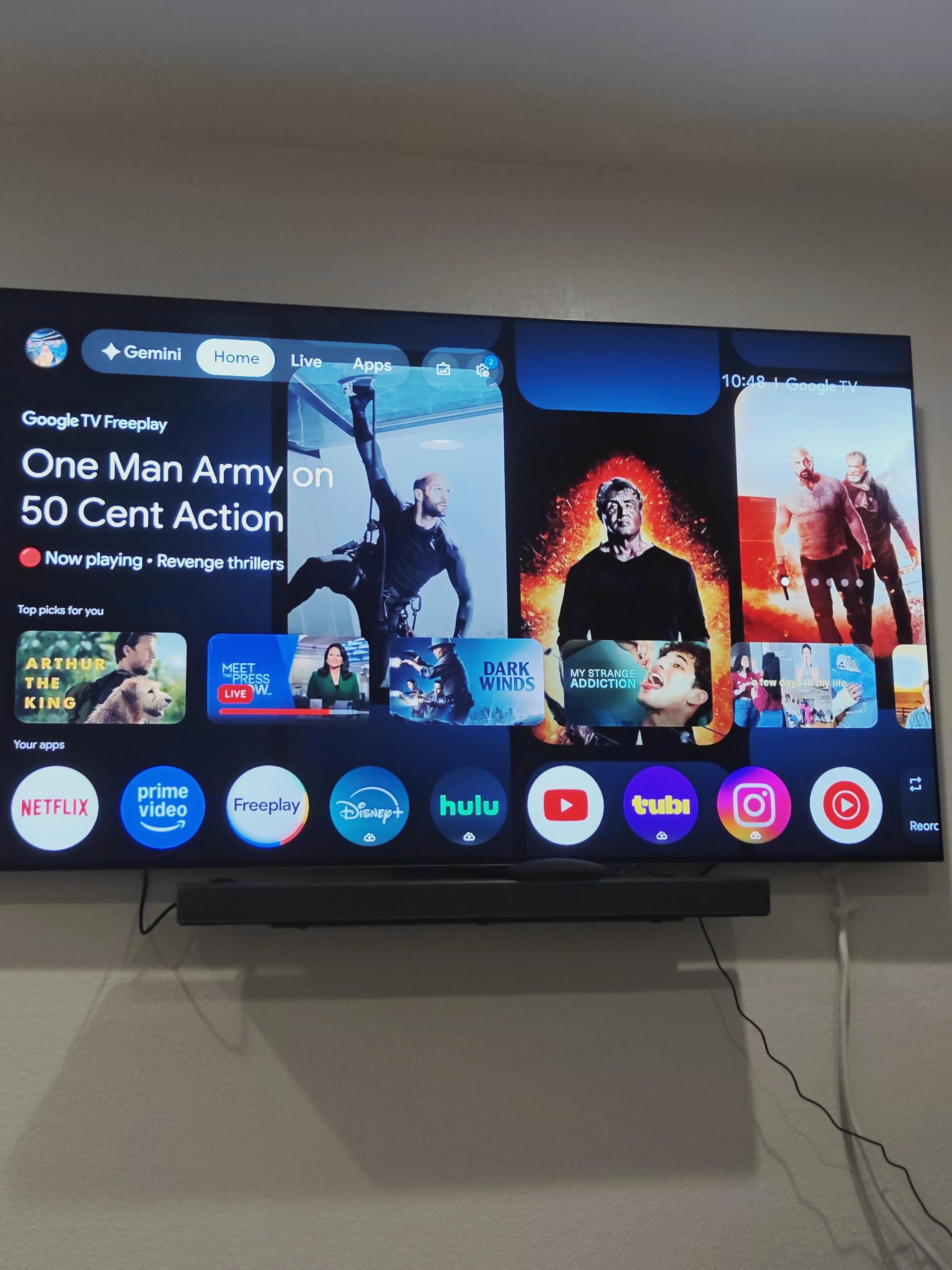
In the box: ONN 4K Pro, remote, HDMI cable, power adapter, quick start guide & batteries
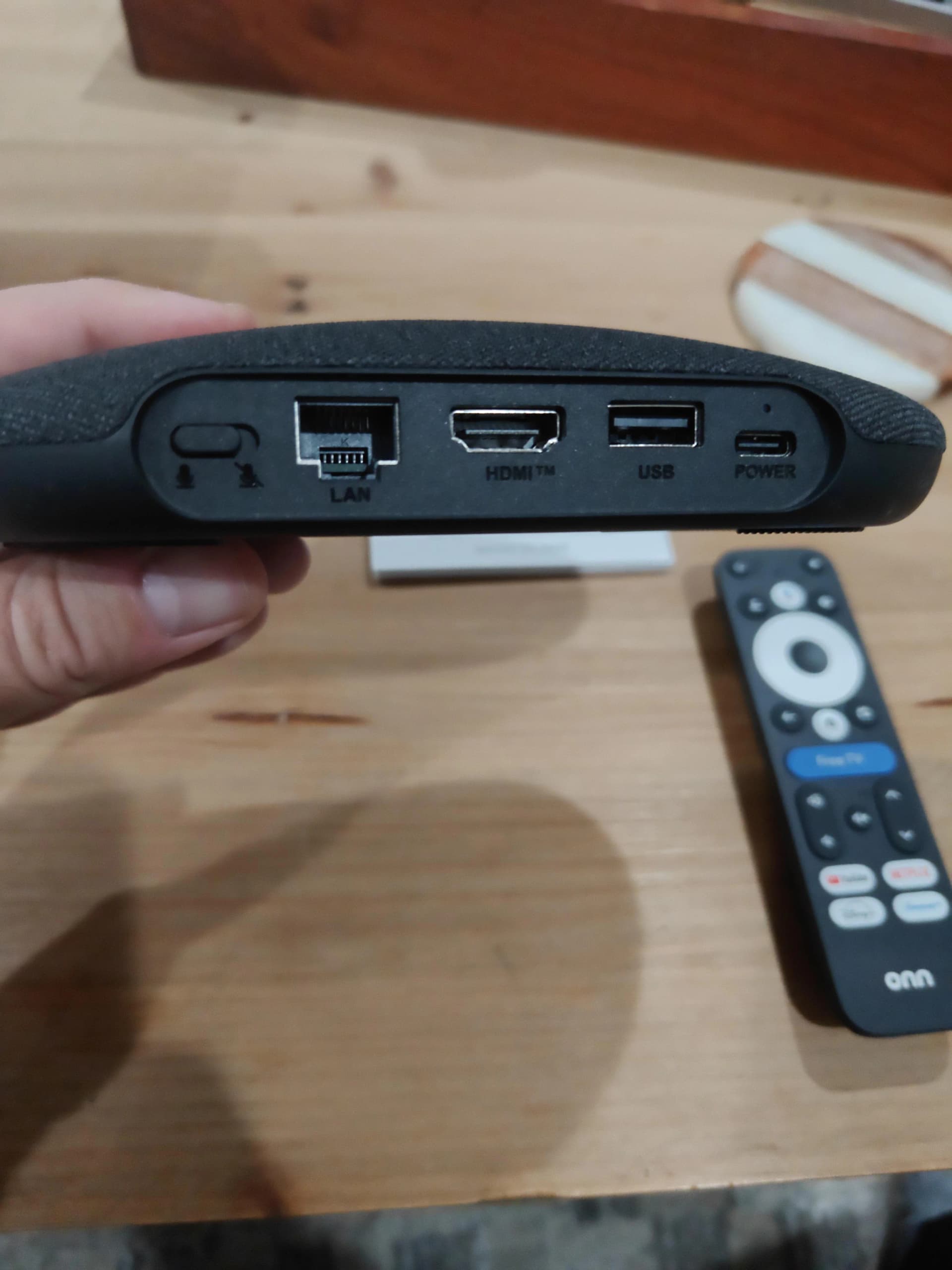
Ports: LAN (Ethernet), HDMI, USB-A & USB-C — the LAN port ensures buffer-free TVNado streaming
Why ONN 4K Pro is Perfect for TVNado IPTV
Most streaming boxes can run TVNado — but the ONN 4K Pro has hardware advantages that make it stand out for IPTV specifically.
Built-in Ethernet Port
Unlike Firestick or Chromecast, the ONN 4K Pro has a LAN port for a wired internet connection. Wired TVNado IPTV = zero buffering, even in 4K.
Full Google TV — TiviMate on Play Store
Runs Android TV at its core — TiviMate and every major IPTV app are available directly from the Google Play Store. No sideloading needed for TVNado.
Dolby Vision + Atmos
TVNado streams 4K UHD content. The ONN 4K Pro supports Dolby Vision and Dolby Atmos, giving you cinema-quality picture and sound on your TV.
Best Value Device for TVNado
At around $49.99 from Walmart, the ONN 4K Pro is one of the best-value Google TV devices — perfect for running TVNado IPTV at a fraction of cable costs.
Hands-Free Voice Control
Control TiviMate and search TVNado channels using Google Assistant voice commands. Just say 'Hey Google' — no need to reach for the remote.
Find My Remote
Lost your remote while binge-watching TVNado? The ONN 4K Pro includes a 'Find My Remote' button on the device itself — a handy feature you won't find on Firestick.
ONN 4K Pro vs Firestick 4K — For TVNado IPTV
| Feature | ONN 4K Pro | Firestick 4K |
|---|---|---|
| Ethernet / LAN port | ✅ Built-in | ❌ Adapter needed |
| TiviMate from Play Store | ✅ Yes (Google TV) | ❌ Sideload required |
| 4K + Dolby Vision | ✅ Yes | ✅ Yes |
| Dolby Atmos | ✅ Yes | ✅ Yes |
| TVNado Compatibility | ✅ Full | ✅ Full |
| OS | Google TV (Android) | Fire OS (Android) |
| Voice Assistant | Google / Gemini | Alexa |
| Find My Remote | ✅ Yes | ❌ No |
For TVNado IPTV, the Ethernet port and native Google Play Store access give ONN 4K Pro a clear edge.
How to Set Up TVNado IPTV on ONN 4K Pro
Before starting, make sure you have your TVNado credentials (Server URL, Username, Password) — get a TVNado free trial hereif you don't have an account yet.
Open Google Play Store on your ONN 4K Pro
From the Google TV home screen, scroll to the Apps row or press the Apps button on your remote. Open the Google Play Store — since the ONN 4K Pro runs full Google TV, TiviMate is available directly without any sideloading.
Search for TiviMate and install
Use voice search or the keyboard to search for "TiviMate IPTV Player". Select the app by Artem Revenko and tap Install. The download takes under a minute on a fast connection.
Open TiviMate and tap Add Playlist
Launch TiviMate from your apps. On the welcome screen tap "Add Playlist". You'll be asked to choose between M3U URL or Xtream Codes API — choose Xtream Codes API for TVNado.
Enter your TVNado IPTV credentials
Enter the three pieces of information sent to you by TVNado: Server URL, Username, and Password. These are delivered via WhatsApp within minutes of subscribing to TVNado.
Tap Add — TVNado channels load automatically
TiviMate will connect to the TVNado server and load your complete channel list, 7-day EPG guide, and 130,000+ VOD library. This takes 30–60 seconds on first load.
Connect Ethernet for best TVNado performance (recommended)
The ONN 4K Pro has a built-in LAN port — a major advantage over Firestick. Plug in an Ethernet cable for a wired connection. This eliminates TVNado buffering entirely on most broadband connections.
Pro tip: Use the Ethernet port for TVNado
The ONN 4K Pro's built-in LAN port is its biggest advantage for TVNado IPTV. A wired Ethernet connection eliminates buffering and provides rock-solid 4K TVNado streams — even during peak hours. Always use Ethernet over Wi-Fi if your TV cabinet is near your router.
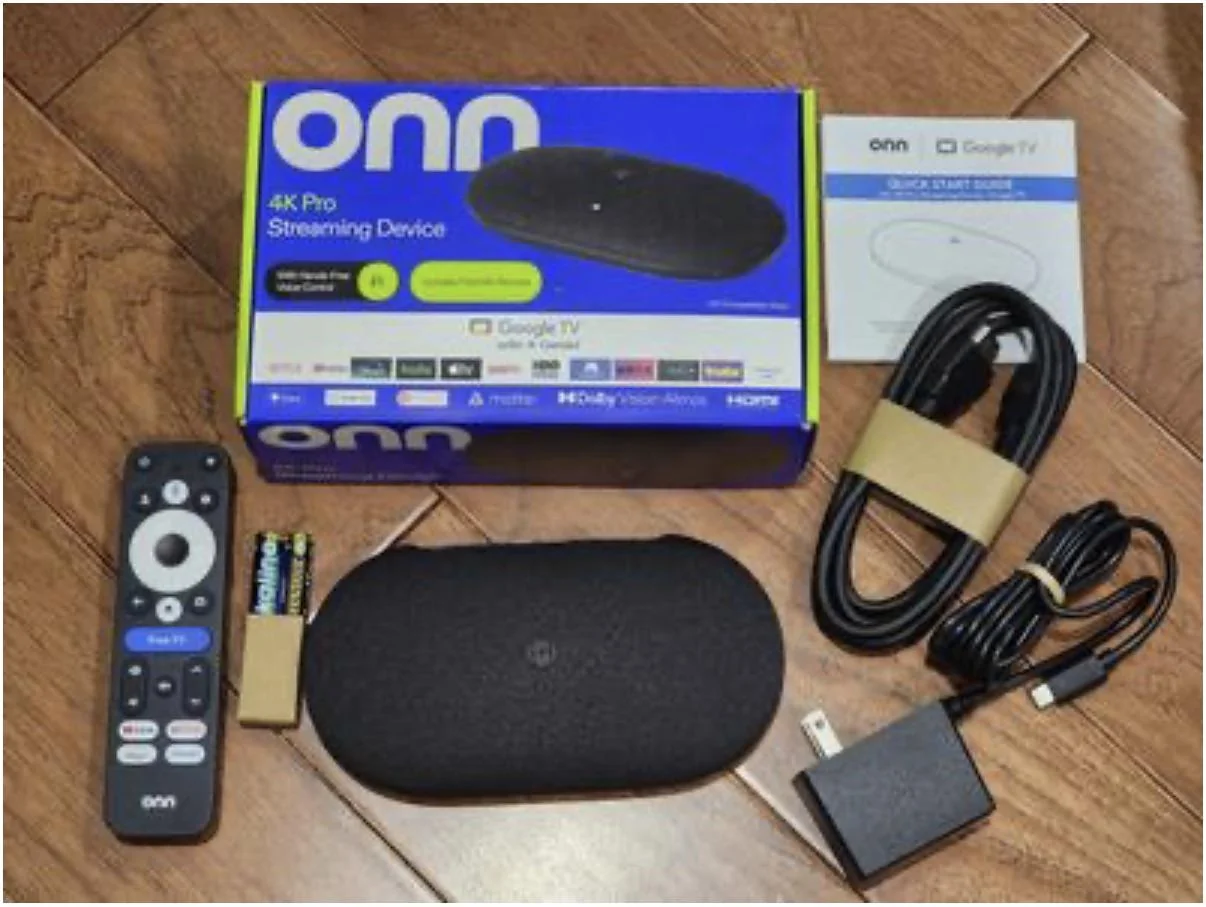
ONN 4K Pro running Google TV — TiviMate with TVNado installs from the Play Store alongside your streaming apps
TVNado on ONN 4K Pro — Troubleshooting
TiviMate not found in Play Store
Make sure your ONN 4K Pro is signed in to a Google account. Search for "TiviMate IPTV Player" — do not search just "TiviMate" as unrelated results may appear first.
TVNado buffering during 4K streams
Connect your ONN 4K Pro to your router using the Ethernet port. If using Wi-Fi, ensure you are on the 5GHz band. Inside TiviMate go to Settings → Player → increase the buffer size.
TVNado credentials not working
Copy-paste your Server URL, Username, and Password directly from your TVNado WhatsApp message — do not type them manually. Credentials are case-sensitive. Contact TVNado support via WhatsApp if credentials were lost.
TVNado EPG guide not loading on ONN 4K Pro
EPG can take 2–3 minutes to fully load on first launch. Go to TiviMate Settings → EPG and tap 'Refresh EPG'. If still not working, check your TVNado subscription is active.
Black screen when playing TVNado channels
Go to TiviMate Settings → Player and switch between ExoPlayer, ExoPlayer HW, and Soft Decoder. For 4K TVNado channels on ONN 4K Pro, ExoPlayer HW usually gives the best result.
TVNado on ONN 4K Pro — FAQ
Does TVNado IPTV work on the ONN 4K Pro?
Yes. TVNado IPTV works perfectly on the ONN 4K Pro via TiviMate (available on Google Play Store). You get 50,000+ TVNado live channels, 130,000+ VOD titles and 4K streams in under 5 minutes of setup.
Is the ONN 4K Pro the same as ONN 4K Plus?
Walmart has released several ONN 4K streaming devices. The "ONN 4K Pro" (Google TV model) is the current flagship with an Ethernet port and Gemini AI. Older models were called "4K Streaming Device" or "4K Plus". TVNado IPTV works on all of them via TiviMate.
Do I need TiviMate Premium to use TVNado on ONN 4K Pro?
The free version works for basic TVNado playback. TiviMate Premium (~$4.99/year) adds catch-up TV, recordings, multiple playlists, and parental controls. For the full TVNado experience including VOD and catch-up, Premium is recommended.
Can I use IPTV Smarters Pro with TVNado on ONN 4K Pro instead of TiviMate?
Yes — both TiviMate and IPTV Smarters Pro work with TVNado on ONN 4K Pro via the Google Play Store. TiviMate is generally preferred for its superior EPG interface and 4K performance with TVNado.
How many connections does TVNado support on ONN 4K Pro?
TVNado plans support multiple simultaneous connections depending on your plan. You can stream TVNado on your ONN 4K Pro and other devices at the same time. Contact TVNado support via WhatsApp to confirm your plan's connection limit.
More TVNado Setup Guides
Ready to Stream TVNado on Your ONN 4K Pro?
Get your TVNado credentials and start watching 50,000+ live channels, NFL, NBA, Premier League, PPV & 130,000+ VOD titles on your ONN 4K Pro via TiviMate — from just $14.99/month.
No credit card · Instant activation · Cancel anytime